
By Arshi Chadha, Founder · Bridgeway Power
Steps if Your Solar Subsidy is Not Credited to Account
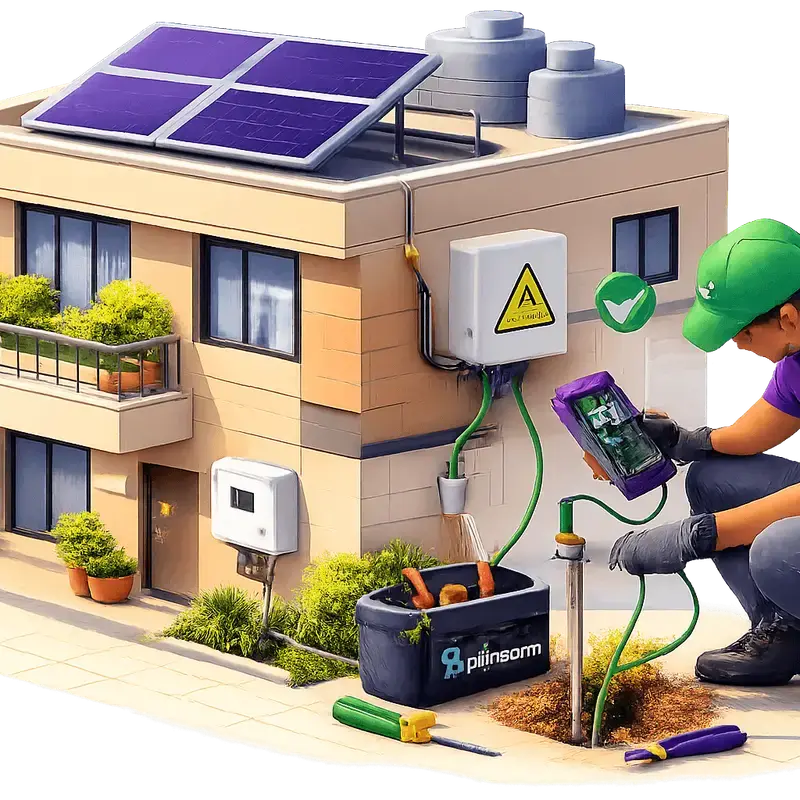
- •Primary Issue: Name mismatch between electricity bill, bank account, and solar application.
- •Status Check: Use the PFMS portal or the PM Surya Ghar National Portal tracking.
- •Key Document: The Joint Inspection Report (JIR) must be uploaded by the DISCOM.
- •Disbursement Timeline: Typically 30–45 days after JIR approval.
- •Action Step: Verify Bank KYC and Aadhaar seeding if payment fails.
The most frustrating moment in a solar journey isn't the installation or the paperwork—it’s the silence that follows. You’ve spent lakhs, the net meter is spinning backwards, but that promised ₹78,000 from the PM Surya Ghar Yojana is nowhere to be seen. In our 35+ years at Bridgeway Power, we’ve seen that solar subsidy bank account not credited issues almost never stem from a lack of government funds; they stem from tiny data mismatches that trigger a "Reject" in the automated payment system.
If your subsidy is delayed, you aren't alone. Between DISCOM inspection backlogs and PFMS (Public Financial Management System) validation errors, there are specific checkpoints where your money might be stuck.
Common Reasons for Solar Subsidy Rejection
We’ve handled over 5,000 installations, and 90% of subsidy failures boil down to two things: Bank KYC and Name Mismatch.
1. The Name Mismatch Trap
The government’s payment system is unforgiving. If your electricity bill says "J.P. Singh," your bank account says "Jaipal Singh," and your solar application was filed as "Jai Pal Singh," the system will flag it. The name on your electricity connection MUST match the name on the bank account where the subsidy is credited. If you are an independent floor owner in a place like solar in Rohini, ensure the bill is in your name before applying, not the previous owner's or the builder's.
2. Bank KYC and Aadhaar Seeding
The subsidy is pushed via Aadhaar-linked DBT (Direct Benefit Transfer). If your bank account isn't seeded with Aadhaar, or if the account has been inactive for six months, the payment will bounce. We often see customers providing Jan Dhan accounts or accounts with restrictive credit limits (e.g., ₹50,000 limit) for a ₹78,000 subsidy. The payment fails because the account literally cannot hold the amount.
3. Incorrect IFSC Codes
With recent bank mergers (like PNB, OBC, and United Bank), many old IFSC codes are invalid. If you uploaded a cancelled cheque with an old IFSC, the PFMS solar status check will show a "Failed" status.
Subsidy Disbursement Checklist
Before you file a complaint, run through this checklist to see where the process has stalled.
| Step | Milestone | Responsibility | Typical Timeline |
|---|---|---|---|
| 1 | Net Meter Installation | DISCOM (e.g., BSES/DHBVN) | 15–30 Days |
| 2 | Joint Inspection Report (JIR) | DISCOM Officer | 7–10 Days post-metering |
| 3 | JIR Upload to National Portal | Vendor / DISCOM | 48 Hours |
| 4 | Final Approval by MNRE/DISCOM | Portal Admin | 15 Days |
| 5 | PFMS Processing | Ministry of Finance | 7–10 Days |
| 6 | Credit to Bank Account | Your Bank | 3–5 Days |
Role of the Joint Inspection Report (JIR)
The JIR is the "green light" for your money. After your system is installed and the net meter is fixed, a DISCOM official visits to verify that the modules are DCR-compliant (Domestic Content Requirement). If you used non-DCR panels to save money, you lose the subsidy entirely—something we explain in our DCR vs Non-DCR guide.
If the official performs the inspection but forgets to sign off on the digital JIR, your application remains "Pending for Inspection" indefinitely. You can track this status on the National Solar Portal. If it’s stuck here for more than 15 days, you need to visit your local DISCOM office (like the BSES division office in solar in Saket) to nudge the inspector.
How to Verify Details on the National Solar Portal
We always tell our customers: don't wait for a rejection letter. Proactively check your details.
- Login to the Portal: Use your registered mobile number and consumer ID.
- Check Bank Details: Go to the "Bank Detail" section. Ensure the uploaded cheque is legible. If the image is blurry, the bank validator will reject it.
- PFMS Status: Look for a section labeled "Payment Status." If it says "Sent to PFMS," the money is in the banking channel. If it says "Rejected by PFMS," it usually means a technical error with your account.
If you find an error, you can often "Re-submit" bank details, but only after the portal opens a correction window for your application. Use our Solar Calculator to re-verify the subsidy amount you should be expecting based on your system size.
Talk to a solar engineer — not a salesperson
Enter your pincode and monthly bill. If we install in your area, an engineer answers on WhatsApp with your numbers.
See your exact subsidy after state stacking
Grievance Redressal: Steps for Delayed Payments
If your solar subsidy bank account not credited issue persists despite all details being correct, follow this escalation ladder:
Step 1: The National Portal Helpdesk
Use the "Grievance" tab on the PM Surya Ghar portal. Be specific. Instead of saying "subsidy not received," write: "JIR approved on [Date], PFMS status pending for 45 days. Requesting disbursement."
Step 2: Contact the Solar Subsidy Complaint Helpline
The MNRE provides a toll-free helpline (15555) for solar-related queries. While wait times can be long, they can often tell you if there is a site-wide delay or a specific block on your ID.
Step 3: Visit the DISCOM Solar Cell
In Delhi NCR, DISCOMs like BSES Rajdhani and DHBVN have dedicated solar cells. Often, the delay is simply a stack of unsigned papers on a desk. A physical visit usually clears the bottleneck.
Step 4: Financing Partners
If you used SBI PM Surya Ghar Loan or Aerem Solar Finance, your bank might have a record of the subsidy status if it was supposed to be adjusted against your loan principal.
From our installs
We recently handled a 5kW system for a bungalow in solar in Palam Vihar. The installation was perfect, the JIR was uploaded, but the subsidy didn't arrive for 90 days. We investigated and found the customer had provided a corporate current account for a residential subsidy. Residential subsidies must go to a personal savings account. Once we helped him update the portal with his savings account details, the ₹78,000 hit his account within 12 days. Caveat: Changing bank details post-application requires a portal "unlock" which can take 2-3 weeks to process.
FAQ
Why is my solar subsidy status showing 'Rejected by PFMS'?
This usually happens due to a name mismatch between your bank account and the solar portal, or because your Aadhaar is not seeded for DBT (Direct Benefit Transfer) with that specific bank account.
How many days does it take for the subsidy to reach the bank account?
Typically, once the Joint Inspection Report (JIR) is approved, it takes 30 to 45 days. However, solar subsidy delay reasons such as DISCOM backlogs can extend this to 60-90 days in some cases.
Can I change my bank account details after applying?
Yes, but only if the portal shows a "Bank Detail Correction" option or if your payment has already failed once. You cannot change it while the payment is actively being processed.
Does the subsidy go to the vendor or the customer?
Under the PM Surya Ghar Muft Bijli Yojana, the subsidy is credited directly to the consumer’s bank account. The consumer must pay the full system cost (or financed amount) to the vendor upfront.
What should I do if the DISCOM hasn't uploaded the JIR?
Visit your local DISCOM office with your consumer ID and installation photos. Ask for the "Solar Nodal Officer." Sometimes the digital upload fails on their end, and they need to re-trigger the sync.
If your subsidy is stuck and your installer has stopped picking up your calls, you might be dealing with an "orphaned" system. We specialize in rescuing these projects through our AMC plans.
Reviewed by: Gurubaksh Singh, Senior Solar Advisor, Bridgeway Power
Every 1 kW of solar on your roof offsets 1.5 tonnes of CO₂ per year
That's 40 trees planted — every year, for 25 years.
A typical 5 kW home system offsets 187 tonnes of carbon over its lifetime. That's equivalent to taking 8 cars off the road.
See your impact →How much can you save with solar?
Enter your electricity bill → get system size, subsidy amount & payback period
Get StartedSee your exact subsidy after state stacking
Related Articles
What Is Captive Open Access Solar (100% Equity Model)
Learn how Captive Open Access Solar (100% Equity Model) helps Indian businesses cut electricity costs by 40% using off-site solar plants. Guide on rules, savings & ROI.
Read moreHow Rooftop Solar Can Eliminate Your Electricity Bill
Discover how Net Metering and PM Surya Ghar subsidies can reduce your monthly electricity bill to near-zero. Learn about system sizing, costs, and real-world savings.
Read moreSolar Subsidy in Uttar Pradesh 2026: ₹1,08,000 for Noida, Ghaziabad & Greater Noida
UP's stacked solar subsidy 2026: ₹78,000 central + ₹30,000 UPNEDA state top-up = ₹1.08L. Real PVVNL net-cost math for Noida, Greater Noida, Ghaziabad & Meerut.
Read moreRelated guides
Delhi Electricity Rate 2026
BSES & Tata Power per-unit rates, PPAC, subsidy — sourced from DERC.
ExploreDelhi Solar Policy 2026
Free rooftop solar up to 3 kW for homes under 400 units. Eligibility & apply.
ExploreSolar Panel Price in Delhi
Live 2026 rooftop prices in Delhi after ₹1.56L subsidy. 1,200+ installs.
ExploreSolar Company in Gurgaon
Gurgaon's rooftop solar installer — 800+ systems, ₹78K PM Surya Ghar subsidy.
ExploreSolar Company in Noida
Noida & Greater Noida rooftop solar — 500+ installs, ₹1.08L stacked subsidy.
ExploreSolar Panel Price in Faridabad
Live 2026 Faridabad prices after ₹78K PM Surya Ghar subsidy. 350+ homes.
Explore